
How It Works
Professional 3D Models in Three Steps
Upload an image, let AI process it, download your 3D model. No technical expertise required.
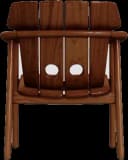
Upload 2D Image
It can be a photo taken from any angle, a render, or a hand drawing. The AI model automatically analyzes depth and structure.

AI Processing & Configuration
Our advanced AI engine analyzes your image, extracts a depth map, and generates a 3D mesh. Control the result with parameters.
Download 3D Model
Download your model in any format, send it to your 3D printer, or open it in your CAD software. Professional results with animation, texture, and post-processing options.
Professional Results in 3 Steps
Upload, Convert, Download
No technical knowledge required. Upload your image, our AI engine produces professional quality 3D models.

Upload Image
Drag and drop your PNG, JPEG, or SVG file.
AI Converts
Our AI engine creates a 3D model in seconds.
Download & Use
Download in your preferred format, use in your project right away.
