
Geomeris
2D Input
3D ModelGeomeris
.GLBGeomeris
.STLGeomeris
Convert 2D Images
into 3D Models 
Design Your Spaces
in 3D 
Professional 3D Models
from a Single Photo 
AI-Powered
Architectural Visualization 

Convert 2D Images into 3D Models
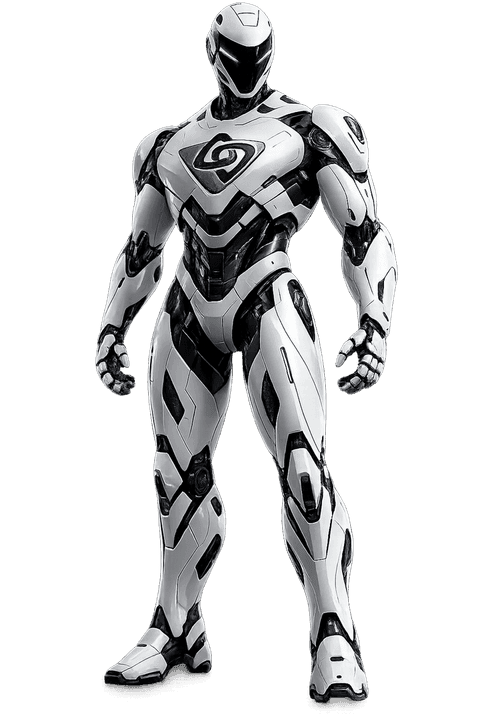
Geomeris AI Robot
.stl.obj.fbx.glb
50 Geocoin welcome gift
.stl.obj.fbx.glb
50 Geocoin welcome gift
.stl.obj.fbx.glb
50 Geocoin welcome gift
3D Room Planner

Design Your Spaces in 3D

Enter room dimensions, place furniture, apply textures. Create professional interior presentations.

Room Design

5 room shapes, custom dimensions and realistic wall/floor textures

100+ Furniture

Poly Haven CC0 licensed realistic PBR furniture and parametric items

Lighting System

Morning, noon, evening, night modes and 3 environment maps

Professional Export

Get architectural outputs in PNG, PDF and DXF formats

Geomeris Planner
2D3D
Room
Furniture
Elements
6.00 m
5.00 m
Sofa
Table
Properties
Position
Texture
Light

How It Works

Professional 3D Models in Three Steps

Upload an image, let AI process it, download your 3D model. No technical expertise required.

01
2D
JPG, PNG

Upload 2D Image

It can be a photo taken from any angle, a render, or a hand drawing. The AI model automatically analyzes depth and structure.
02
2D
AI100%

AI Processing & Configuration

Our advanced AI engine analyzes your image, extracts a depth map, and generates a 3D mesh. Control the result with parameters.

~15 seconds95%
03
.stl.obj.fbx.glb

Download 3D Model

Download your model in any format, send it to your 3D printer, or open it in your CAD software. Professional results with animation, texture, and post-processing options.

Download

Use Cases

Whatever your industry, Geomeris adapts to your workflow.

3D Printer Owners

Upload your 2D JPEG images, get output in STL or any format you want. Full control with depth and width settings.

  • Convert JPEG/PNG to STL, OBJ, 3MF formats
  • Fine-tune with depth and width parameters
  • Create models based on technical measurements
  • Parametric product manufacturing
  • Automatic optimization with printer profiles
Try Now
geomeris.com

INPUT

OUTPUT

AI Conversion complete100%

Features

The power of professional 3D software, in an interface anyone can use.

01

Convert in Seconds

Our AI engine analyzes your 2D image and converts it to a 3D model in seconds.

02

10+ Output Formats

Support for STL, OBJ, FBX, GLTF, DWG, DXF, 3MF, and more.

03

Parametric Control

Full control with depth, width, scale, and resolution settings.

04

Real-Time Preview

Inspect and rotate your model in the browser-based 3D viewer before downloading.

05

Technical Measurement Support

Produce industrial-quality models with millimeter-precision measurements.

06

Batch Conversion

Upload multiple images at once, convert them all in a single batch.

07

3D Showroom

Showcase your products in a virtual store. Offer your customers a 3D experience.

08

Secure & Private

Your files are encrypted and automatically deleted after processing. Your data belongs to you.

Pricing

Choose the right plan for your needs

Choose the plan that fits your needs and earn monthly Geocoins.

50 Geocoins welcome bonus for new users — no card required
14-day money-back guarantee
Cancel anytime
Secure payment

FAQ

Frequently Asked Questions

Answers to common questions. Can't find what you need? Reach out to us.

Geomeris

AI-powered 3D model creation and interactive room planning platform.

Product

  • Features
  • Pricing
  • Use Cases

Resources

  • Blog
  • FAQ
  • Getting Started Guide

Company

  • About Us
  • Contact

Legal

  • Privacy Policy
  • Terms of Service
  • GDPR
  • Cookie Policy

© 2026 Geomeris. All rights reserved.

Geomeris
How It WorksUse CasesFeaturesPricingBlogFAQ
